
April 26, 2026 · 5 min read
Looking for AI Use Cases in Finance? Replace Excel.
Every Excel file your finance team updates by hand is a process running below its potential. Here is how to find them and replace them with Claude Code and a SQL database.
Every finance leader I talk to is hunting for AI use cases. They run innovation workshops, hire consultants, sit through vendor demos. The backlog is already sitting in their shared drive, and it has been there for years.

Where are the AI use cases in my finance team hiding?
In your shared drive. Sort by .xlsx.
Every Excel file that gets updated by hand each day or month is a finance process running below its potential. That list is your AI use-case backlog, already prioritised by how often someone touches each file. "We use Excel for that" is not a workflow description. It is a confession of operational debt.
Why is Excel a symptom rather than a tool?
Because wherever you find a critical spreadsheet, you have found a process that nobody got around to automating. There are two layers to it.
Every spreadsheet wraps manual work around every stage of its lifecycle.
- Input is manual. Somebody opens a system, downloads a file, transforms it, pastes it into Excel, cleans the column names, fixes the date formats. Every period.
- Maintenance is manual. Somebody updates the model and then checks it still works, because Excel will hand you a wrong number with exactly the same confidence it hands you the right one.
- Output is manual. Somebody emails the file, pastes a section into another sheet, copies a figure into a slide. Every arrow in that chain is a human.
The structure itself is fragile.
A bad VLOOKUP, a row inserted in the wrong place, a reference that quietly drifted: any one of these breaks the model without a warning. Fixing it is slow, because the person who built it has left or forgotten how it works. So every important spreadsheet accumulates a fear premium: "Don't touch it. It's complicated. It might break." That fear premium is what kills finance operations, because the business changes and the model cannot keep up when nobody dares to update it. The result is version hunting across the drive: three files with the same name and three different numbers, none of them the source of truth.
What does an "Excel wizard" job ad actually tell you?
That the finance team runs on spreadsheets and nobody inside the company has noticed.
Here is the heuristic I use as a CFO: the more Excel a finance team uses, the less efficient it tends to be. I have not yet seen a counterexample. When I read a job description asking for an "Excel wizard," I assume the team's operations are manual, that it is slower than its peers, and that the tools to fix it are already sitting on every CFO's laptop. I hire for curiosity about systems, not for mastery of spreadsheets.
What does this look like in practice? The monthly headcount and salary report
The data exists. It just lives in two systems that do not talk to each other: the ERP holds the salary cost per department, and the HRIS holds the headcount per department. The CEO asks for cost per department, this month plus a 24-month trend, and the team rebuilds the bridge in Excel by hand.
Here is what that actually takes, every month:
- Log into the ERP. Pull personnel cost by department for the current month. Export to CSV.
- Pull the same report for each of the previous 24 months. 24 more exports.
- Log into the HRIS. Export current headcount by department, then the monthly snapshots back 24 months.
- Open Excel. Paste everything. Clean the column names. Reconcile the department codes that changed last quarter when Engineering split into Platform and Product.
- Build the formulas for cost-per-head per department per month. Discover two cost centers in the ERP match no department in the HRIS.
- Email HR. Wait. Re-export. Re-paste.
- Build the chart. Send it to the CFO. Next month, do all of it again.
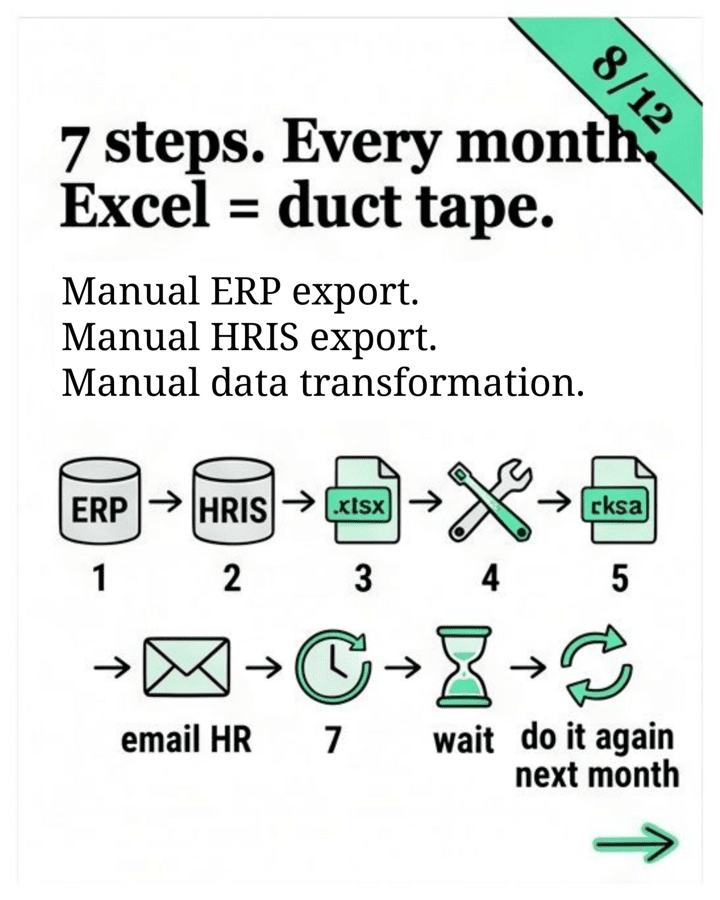
Excel here is the duct tape holding the ERP and the HRIS together because the two systems do not talk, and the finance team is the one applying it by hand every month.
How does Claude Code replace the spreadsheet middle layer?
It writes the script that owns the workflow end to end: read from both systems' APIs, write to your database, output a branded report, run on a schedule. No human in the loop until something breaks.
The tool is Claude Code. It runs on your machine and connects to any source system that exposes an API or a connector, which in practice is all of them. A finance team today operates roughly 20 tools: the office suite, the ERP, banking portals, the HRIS, the AP and AR systems. Most of the daily work is carrying data between them by hand, and Excel has been the tool for that for the last 25 years. Give the model access to those systems directly and the duct tape comes off. When the report needs to change, you ask Claude Code to rebuild it, and the fear premium goes away with the spreadsheet.
If Excel is gone, where does the data live?
In a SQL database, whichever one your company already runs. Not in another spreadsheet.
This used to be the point where finance leaders gave up, because SQL belonged to the BI team. That is no longer true. Claude can stand up the database, populate it from your ERP and HRIS connectors, and explain the schema back to you in plain English three months later when you have forgotten what a column means. You do not need to learn SQL. Claude does the SQL for you.
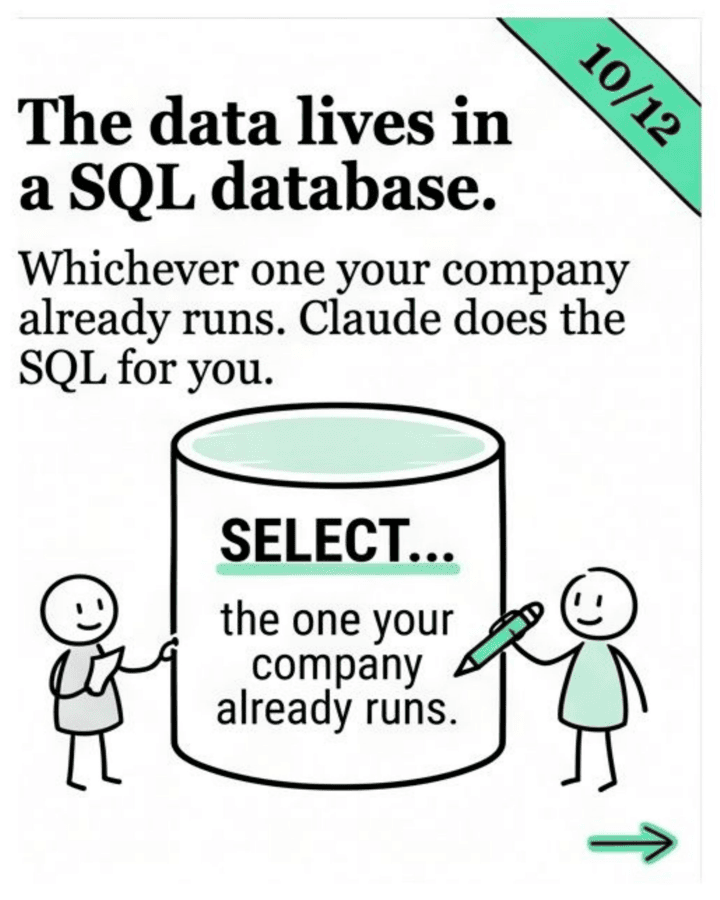
Historical data then accumulates in one place: version-controlled, query-able, and not scattered across twelve "v3_FINAL_real.xlsx" files on three drives. The monthly headcount report from earlier does not get rebuilt from scratch. January's numbers are still in the database; Claude appends April and refreshes the chart.
What is the honest catch?
Sitting down and getting comfortable with Claude Code takes time, and setting up the connectors to your ERP and HRIS the first time is real work.
The good news is that it has gotten dramatically simpler. Two years ago you needed a developer or a data engineer to wire systems together. Now you can do it yourself, because most of it is plain English and a config screen.
Where do I start?
Pick the one Excel file that annoys you most. The one you update every Monday morning, the one that breaks every quarter when somebody changes a column. Just one.
Open Claude Code, tell it what the file does, and ask it to do the same thing without the file. See how far you get in an hour. Replace the spreadsheets, build the automations, and the efficiency of your finance operations goes up from there.
Frequently asked questions
Why is Excel a problem for finance teams?
Excel is rarely the problem itself. It is the signal. A critical spreadsheet marks a process that is manual at every stage and quietly fragile, which is exactly the kind of work AI can take over.
Do I need to learn SQL to replace my spreadsheets?
No. Claude can stand up the database, populate it from your ERP and HRIS connectors, and explain the schema back to you in plain English months later. You describe what you want and it writes the SQL.
What is a good first finance process to automate with AI?
The one spreadsheet you update every Monday and that breaks every quarter when someone moves a column. Start with exactly one file, not a platform.
How long does it take to set up?
Wiring up the first connector to your ERP or HRIS is real work, but most of it is now plain English and a config screen. In a 60-minute AI Power Hour we replace one file together.